
Hi, this is Anupama Choudary all the way from India. I created the LO 'Shine' to showcase one of my favorite techniques - Creative Photo Cropping.

Here is how I did it -
- I fussy-cut a picture of my son Karishnu on his first day of school and created a classroom scene around him using the fabulous Graphic 45 papers collection - ABC Primer.
- Scale is important to ensure that the subject (Karishnu) is in proportion to other elements (kids) in the background. In this case, the 6x4 picture size worked well.
- I positioned Karishnu on a stack of books taking care to shade around the picture (using chalks) to create depth.
- I used pop dots here and there for 3 dimensional effect and to make the scene come alive.
- You can use embellishments to add character to the scene. I clustered classroom related objects around the photograph to focus attention on the subject.
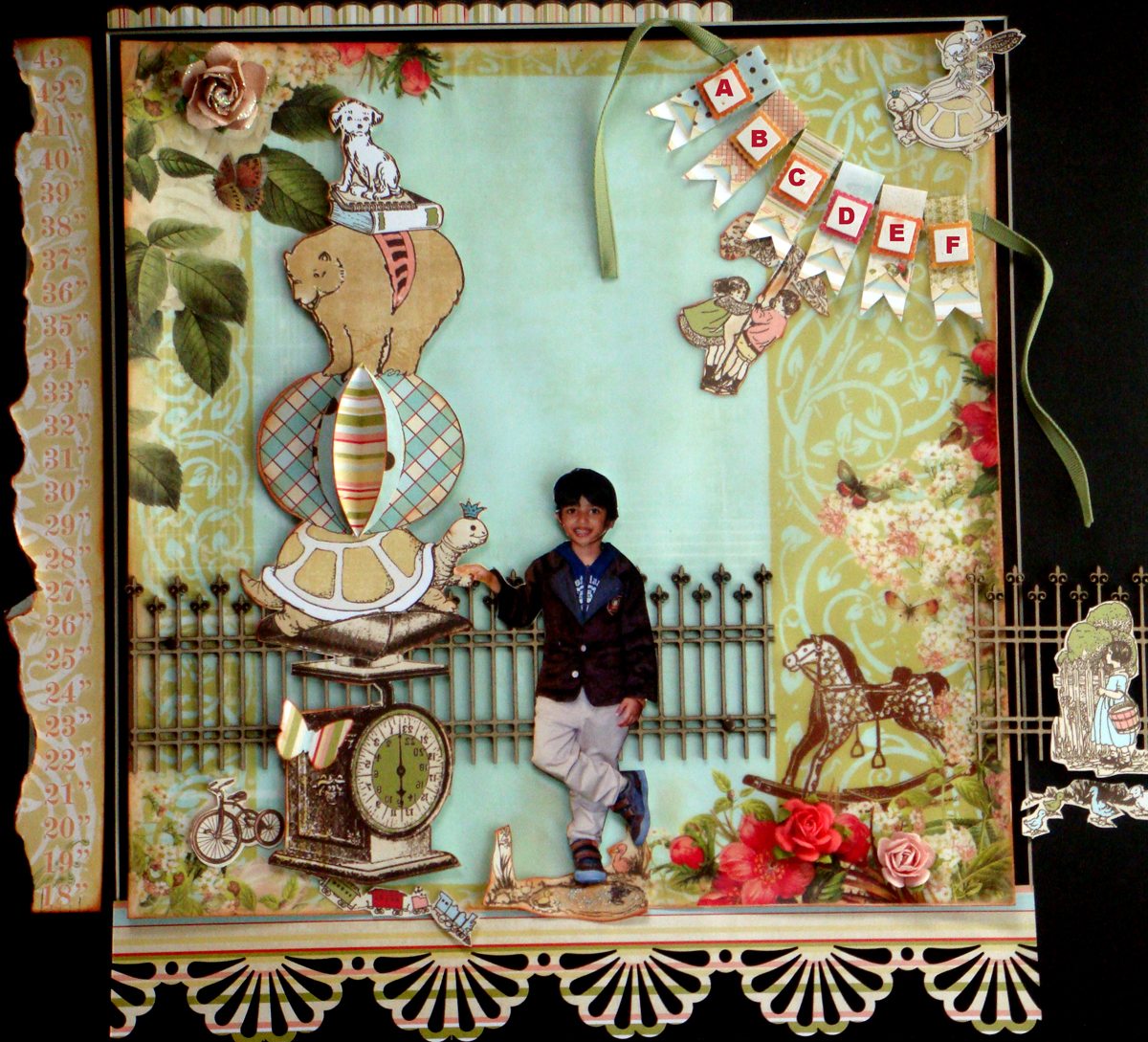
In 'Leaps & Bounds' I built a scene around whimsical elements to create a fairytale/ storybook kind of fantasy world. I stretched the scene to make a 16x16 LO.

Mixed-media can be used with cropped photos to create interesting pages. I used lots of gesso in 'My Muse' to tone down the pps and misted the frame blue to accentuate the foreground. I cut my daughter Saanvi from a 8x10 photograph to alter the scale.

Cropping multiple pictures and adding them to a single page can make it dynamic. I cut three pictures of Karishnu and re-created a fun farm scene using them. The vehicles convey a sense of mobility and work well with the theme of a boy 'Always On The Move'.

You can make a slide-show on your LO by using 2-3 shots taken at the same scene/ event at short intervals. Simply retain the background of one photograph and fussy-cut the others. In 'Wherever Life Takes Us' , I positioned my husband & kids in such a way that they seem to be entering the beach scene!
Hope you find this post informative enough to create scenes of your own. Happy Scrapping!

